Is Your AI Really Making the Business Faster?
Your employees may be saving time with AI, but is the business actually moving faster? The next source of value may be hiding in the handoffs between tasks.
Your employees are using AI and telling you they are saving time. Yet customer response times, approval cycles, and operating costs may not be improving at the same pace.
Both can be true.
In its 2026 global survey, McKinsey reports that 80% of respondents say AI has improved their individual productivity, while only 37% attribute any EBIT impact to their organization’s use of AI.
So the question may no longer be just how to make each employee faster. It is how to make work move faster from one end of the business to the other.
> 30-second takeaway
> AI can speed up a task without speeding up the business. The real source of value often sits between steps: handoffs, approvals, re-entry, and waiting. For an executive, the better question is no longer simply “where can we add AI?” but “where does our work stop moving?”
The problem starts after the task
Take a customer request that arrives by email.
AI can read it, identify the customer, summarize the situation, and draft a response in seconds.
Great.
Then the case has to move to the right team. Someone checks the CRM. A piece of information is missing from the ERP. An approval is required. A service task must be created. The customer needs an update. Finally, several systems have to be updated.
The first task became almost instantaneous.
The case is still waiting.
McKinsey describes this friction as a “coordination interface tax”: the cost of verification, reconciliation, waiting, and handoffs between work steps. Citing a convergence of several studies, McKinsey estimates that coordination can consume 35% to 60% of total work time in knowledge-intensive organizations.
| Optimize the task | Optimize the process |
|---|---|
| Write faster | Move the case forward |
| Summarize faster | Reduce handoffs |
| Analyze faster | Eliminate re-entry |
| Produce a recommendation | Trigger the next step |
| Measure minutes saved | Measure cycle time |
We have spent years optimizing the boxes.
It may be time to look at the arrows.
Twelve hours of work. Eighteen days of elapsed time.
One industrial example presented by McKinsey makes the problem tangible.
In a demand-to-production workflow, the work actually performed inside the individual steps added up to roughly 12 to 24 hours.
Yet latency between those steps totaled 9 to 18 days — nine to 36 times the actual processing time.
It is a bit like a relay race where every runner gets twice as fast, but the baton sits quietly on a table between handoffs.
At some point, buying better shoes for the runners stops solving the problem.
!Comparison between optimizing individual AI tasks and optimizing the end-to-end business process.
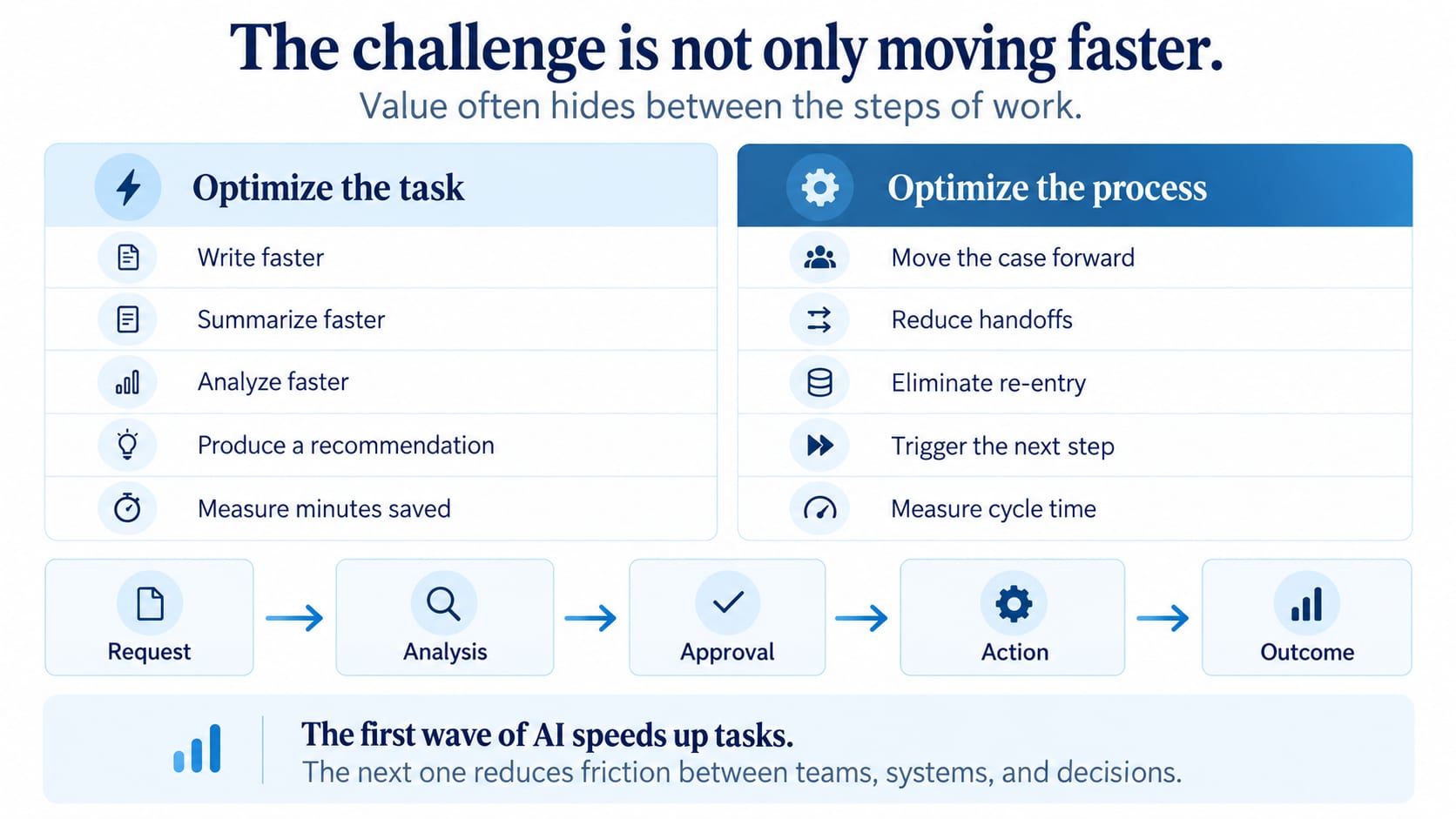
The first wave of AI speeds up tasks. The next one reduces friction between teams, systems, and decisions.
AI agents change the unit of automation
A copilot helps one person write, search, or analyze faster.
An AI agent can go further: verify information, use a tool, update a system, continue to the next step, or route an exception to the right person.
A copilot speeds up the task. An agent can move the process forward.
A field experiment involving 515 high-growth startups illustrates the distinction. Firms encouraged to search more broadly for places to deploy AI discovered 44% more use cases, completed 12% more tasks, and generated 1.9 times the revenue of the control group. These findings come from startups and should not be generalized directly to large enterprises, but they reinforce an important management lesson: where you apply AI matters as much as the AI itself.
> The management point
> A strong AI use case should not merely remove human effort. It should remove measurable friction from the process: a wait, a verification step, duplicate entry, a handoff, or a decision that arrives too late.
Look for the handoffs, not the gadgets
Before buying another AI tool, choose one important process.
Then ask five questions:
1 — Where does work wait?
Does an approval, missing data point, or person routinely slow the case down?
2 — Where do we re-enter information?
Does the same data move manually from email to the CRM and then from the CRM to the ERP?
3 — Where do we routinely verify the previous step?
Could some of those checks become automated rules?
4 — Which situations are true exceptions?
Human attention is most valuable where judgment actually changes the outcome.
5 — Which action could AI execute at an acceptable level of risk?
Start with an action that is limited, measurable, and reversible.
Start with one interface, not ten agents.
Deploying ten agents before deciding what problem they should solve is not necessarily an AI strategy. Sometimes it is simply a very modern way to create ten new coworkers to supervise.
Autonomy should follow risk
As soon as AI can act inside your systems, another question appears:
What should it be allowed to do?
A practical progression has four levels:
- Observe — AI analyzes and informs.
- Recommend — it proposes; a person decides.
- Act with approval — it prepares the action and executes after validation.
- Act automatically — it executes within clearly defined limits.
An agent may know perfectly well how to change a customer record without being authorized to change that customer’s credit limit.
Capability and authority are not the same thing.
The goal is not maximum autonomy.
It is appropriate autonomy.
What you can do Monday morning
In the second quarter of 2026, 19.2% of Canadian businesses reported using AI to produce goods or deliver services, up from 12.2% in 2025 and 6.1% in 2024. Adoption has therefore more than tripled in two years.
The question is quickly shifting from:
“Are we going to use AI?”
to:
“How are we going to integrate it into real work?”
> 30-minute exercise
> Choose one important process. Map its steps on a page. Circle every wait, re-entry, approval, and handoff. Then ask your team: “If AI could automatically move one of these interfaces forward, which one would have the greatest impact on our business outcome?”
That is a better question than:
“Where could we add AI?”
Start with the process.
Draw the boxes.
Then look at the arrows.
That is often where the business is waiting.